Private AI for Melbourne medical and legal practices

What is said in your rooms stays in your rooms.

A private AI assistant, installed in your practice and looked after by us. Client and patient data never leaves your control.

By email enquiry, in writing. No obligation.

A narrow bluestone laneway between brick buildings in Melbourne’s CBD, with one person leaning against a wall
Where it runs
Your office, or an Australian data centre
Who can see it
Your staff, under your existing access rules
Model training
Never used to train models
Who maintains it
We do, from Melbourne

What is private AI?

Private AI is an AI assistant running on infrastructure your practice controls, rather than a shared public chatbot. InternalAI supplies and manages the server, on-site or in an Australian data centre, with access to your files under your existing permissions.

For Melbourne medical and legal practices, it helps draft letters, summarise documents and search internal knowledge. Outputs need professional review; private hosting alone does not make a practice compliant.

Read the guide to private AI servers

Shadow AI is probably already in your practice.

Staff use free chatbots because they work. Each paste is a disclosure you didn’t approve.

  • 8:42

    A receptionist tidies a referral letter

    Pastes the patient’s name, Medicare number and history into a free chatbot. Health data is now overseas.

  • 11:15

    A junior lawyer summarises an affidavit

    Uploads a family law affidavit for a quick summary. Privileged material has left the firm.

  • 15:30

    An accountant drafts a client email

    Includes income figures and a TFN. Financial data now sits under someone else’s retention policy.

Illustrative scenarios, not real incidents.

Looking down on a shared office desk with several laptops, notebooks and coffee cups

Cross-border disclosure. Under APP 8 of the Privacy Act 1988 (Cth), you can stay accountable for personal information sent overseas. Professional warnings. The RACGP and the Victorian Legal Services Board have warned against putting confidential information into public AI. Bans rarely work. Staff switch to their phones. An equally easy private tool gives them a safe option.

Where does the document go?

Pick your practice, then switch between a public AI tool and InternalAI. Follow the document out and back.

Simplified for clarity. Public AI providers’ data locations and retention vary by product and plan.

Data flow

AI tool being used
Your practice
Data flow schematic A document travels from a staff computer. With a public AI tool it leaves the practice network, crosses the internet and is processed in an overseas data centre where a copy may remain. With InternalAI it goes only to a server inside the practice and the reply comes straight back. Your clinic Your network and premises Staff PC Reception desk Your server Runs InternalAI Public internet Undersea cables, offshore hops Overseas data centre Provider-controlled 1 2 3 1 2 3
  1. 1
  2. 2
  3. 3

An assistant that lives where your files live

Staff use it in a browser, like ChatGPT. Every question and answer stays on a server you own.

How the private assistant is set up Staff devices connect over your internal network to the server, which holds the language model and a private search index. The server reads from your document stores and practice systems. Everything sits inside your practice boundary. The only outside connection is an optional encrypted support link for updates, which carries no patient or client content. Your practice boundary: your office, or your own server in an Australian data centre Staff devices Browser on desktop, laptop or tablet Sign-in with your existing accounts Your server Language model Open-weight: Llama, Qwen or Mistral families Private index Searches your files by meaning, with access controls Your systems Document stores and practice management Read-only access where possible Question Answer Reads Optional encrypted support link for updates and monitoring. No patient or client content is sent. How the private assistant is set up: staff devices send questions to your server, which reads your systems. All inside your practice boundary, with an optional support link that carries no client content. Your practice boundary Your office, or your own AU-hosted server Staff devices Browser, signed in with your accounts Question Answer Your server Language model Llama, Qwen or Mistral families Private index Searches your files, with access controls Reads Your systems Document stores and practice management. Read-only access where possible. Optional encrypted support link. No patient or client content is sent.
Integrations with common systems are confirmed at assessment.
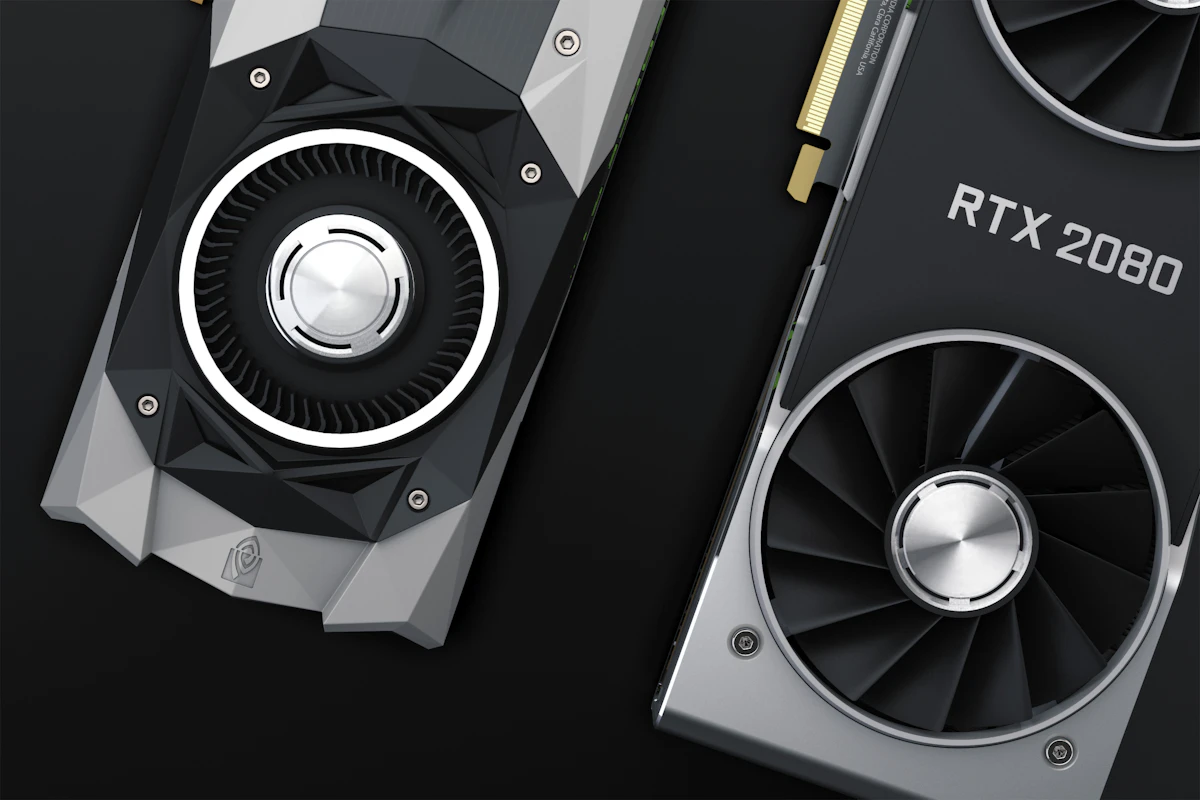
Two NVIDIA graphics cards on a dark surface

The hardware

A small, quiet server about the size of a desktop PC. It sits in your comms cupboard. No room? We host your own unshared server in an Australian data centre.

Processing
NVIDIA GPU, sized to your staff numbers
Storage
Encrypted drives, backed up nightly
Access
Individual sign-ins. Staff see only what they can already see.
Logs
Usage records kept on your server, for audits
Support
We connect only with your permission
Power
A standard power point
Melbourne CBD skyline and Princes Bridge over the Yarra River

Installed, trained and supported by a team in Melbourne’s CBD.

On-site visits across metro Melbourne, Monday to Friday.

Built for professions that hold confidences

A GP consulting room with wall-mounted diagnostic instruments, a blood pressure gauge and a computer on a swing arm

Doctors and clinics

General practice, specialist rooms and allied health

Where it saves time

  • Referral letters drafted from consult notes
  • Summaries of specialist and discharge letters
  • Draft clinical notes for sign-off
  • Plain-English patient information

What weighs on you

  • Health information is sensitive under the Privacy Act 1988 (Cth)
  • Health Records Act 2001 (Vic)
  • AHPRA confidentiality duties and RACGP guidance on AI

The assistant drafts. Your clinicians decide.

Leather-bound law reports in a glass-fronted bookcase in a dimly lit office

Lawyers and firms

Boutique, family, commercial, criminal and estates

Where it saves time

  • Summaries of briefs, affidavits and discovery
  • First-pass contract review against your precedents
  • Draft file notes and letters of advice
  • Chronologies and precedent search

What weighs on you

  • Confidentiality and legal professional privilege
  • Legal Profession Uniform Law (Victoria)
  • VLSB caution on public AI, and your insurer

Privileged material stays on hardware you control.

Every output is a draft for a qualified person to check. It does not give clinical or legal advice.

Also suited to

  • Accounting and taxClient financials, TFNs and returns
  • Financial adviceFact finds and statements of advice
  • Engineering and architectureTenders and NDA files
  • HR and recruitmentCandidate and employee files
  • Any confidential businessAnything you wouldn’t email a stranger

Three ways to give staff AI

Enterprise cloud plans beat free tools. The real question is where your data goes, and who can reach it.

Comparison of public AI tools, enterprise cloud AI and InternalAI
Question Public AI toolFree or personal paid chatbot Enterprise cloud AIBusiness tier of a major provider InternalAISelf-hosted, managed by us
Does data leave your premises? Yes. Sent to the provider. Yes. Sent to the provider’s cloud. No on-site. AU-hosted goes only to your own server.
Does it leave Australia? Usually. Location rarely disclosed. It depends. Some offer AU regions. Check subprocessors. No. Your office or an AU data centre.
Used to train models? Often by default unless you opt out. Generally no under business terms. No. Nothing goes back to the model’s makers.
Who controls retention? The provider. Chats may be kept and reviewed. Shared. The provider may hold copies for a time. You, to match your records policy.
Can staff use it without approval? Yes. That’s shadow AI. No, admin-managed. No, managed accounts.
Searches your own files? Only single uploads. Often, within its ecosystem. Yes, with access controls.
Raw model capability Highest on hard reasoning. Highest, same frontier models. Strong for everyday drafting and search. Behind on the hardest problems.

General comparison as at 2026. Provider terms change, so check current terms.

Estimate the hours your team could get back

Move the sliders to match your practice. An estimate, not a promise.

12
6

Letters, notes, emails and search.

25%

25% is a conservative starting point. Results vary.

Estimated hours saved per week, across the team

18 hrs
Per year (46 working weeks)
828 hrs
Equivalent working days per week
2.4 days
Per staff member per week
1.5 hrs

Estimate only. Staff × weekly hours × reduction. Assumes 46 weeks a year and a 7.6-hour day. Excludes onboarding time.

Two people’s hands working through something together on a laptop

Four steps, one point of contact

No IT department needed. Most practices are live in three to six weeks.

  1. Assessment

    Free, by email

    Send an enquiry. We ask a few questions about how your staff use AI and send a written recommendation.

  2. Install

    Typically 2 to 4 weeks

    We supply and install the server, on-site or in an Australian data centre.

  3. Connect and train

    Typically 1 to 2 weeks

    We connect your systems, set permissions and train each team, with a sample AI usage policy.

  4. Support

    Ongoing, monthly

    Monitoring, updates and model upgrades from Melbourne.

Common questions

Something else? Email hello@internalai.com.au.

Is it as good as ChatGPT?

For everyday drafting, summaries and search, it’s very capable, and it knows your files. The biggest public models still lead on the hardest problems, so we test your de-identified examples at the assessment.

What hardware do we need?

Nothing you buy yourself. We supply one quiet, desktop-sized server with an NVIDIA GPU and encrypted storage, or host a dedicated one in Australia.

What happens if it breaks?

We usually spot problems first and fix most remotely. Hardware faults are covered by your plan, and your files stay in your own systems while it’s offline.

Can it connect to our systems?

Usually. We work with common systems such as SharePoint, iManage, Best Practice, MedicalDirector, LEAP and Actionstep, and confirm what works for your setup at the assessment.

Can you, or anyone else, see what our staff type?

No. Everything stays on your server and is never used for training. We connect only for maintenance, with your permission.

Does it make us compliant?

No tool can do that alone. It removes the biggest question, where data goes, and we help you write staff guidance. It doesn’t replace legal advice, and we claim no third-party certifications.

How long does it take to get started?

Typically three to six weeks, depending on hardware and integrations.

Request a free privacy and AI assessment

Send an enquiry and we’ll reply in writing, with a recommendation for your practice. No calls or meetings needed. If private AI isn’t right for you, we’ll say so.

Hours
Monday to Friday, 8.30 am to 5.30 pm

Assessment request

Type the name or ABN to look it up.

Type of practice

Number of staff

We reply within one business day. By sending this form, you agree to our privacy policy.